Getting Started
Before running the workflow
This workflow does not come with CWatM. Therefore, to use this workflow, you will need to get the CWatM model on your local machine as well. The model is well documented and tutorials are available on YouTube to learn how to install it with its dependency.
Python
The best way to interact with the different packages is to work in a virtual environment in e.g. miniconda.
SpineToolbox
Make sure you have installed SpineToolbox as instructed and you are using the latest version of SpineToolbox. The recommended way is to install it using the binary file. In this examples, we are using the Git repository but it does not change the workflow setup.
- Make sure you have installed SpineToolbox as instructed and you are using the latest version of SpineToolbox.
- you are using Spine Database API
FlexTool
Install FlexTool in a separate repository with its custom environment
CWatM-SpineToolbox
-
using miniconda, create an environment where workflow and CWatM libraries and other dependencies can be installed.
-
Go to the directory where the workflow will be located e.g.
C:\Git\<YOUR FOLDER>\ -
cd into your folder
cd C:\Git\<YOUR FOLDER>\ -
clone the git repo into the folder with its submodules
git clone git@github.com:vttresearch/CWatM-spinetoolbox.git -
create your conda environment and activate it
(base) C:\Git\<YOUR FOLDER>\> conda create -n <YOUR ENV> python
(base) C:\Git\<YOUR FOLDER>\> conda activate <YOUR ENV>
-
cd in the folder where the cloned git repo is installed
cd C:\Git\<YOUR FOLDER>\CWatM-spinetoolbox -
Install the required libraries for the workflow to work out
CWatM
The best way to interact with CWatM is to clone or fork the git version of the repository.
As described in the CWatM instructions to run the model, it is best to download all necessary versions for 30, 5 arcmin and weather data or directly from the ISIMIP repository. This is then to be changed in the path to locate where those folders will be downloaded.
Warning
The weather files provided from CWatM are from 1980 to 2019 (as of February 2025). If your calibration runs start before this data, you should download the data from the ISIMIP repository (starts from 1901). If you plan to run future years, it is recommended to download the weather files directly from ISIMIP.
Alongside the CWatM-SpineToolbox deliverable, the toolbox_compatibility.py file needs to be copied to the CWatM folder. this python script allows to start different instances of CWatM from python script instead of command line as traditionally used by the CWatM community. The file is currently located under .\CWatM-spinetoolbox\calibration\CWatM. This python file needs to be placed under .\CWatM folder in the local computer.
How to use
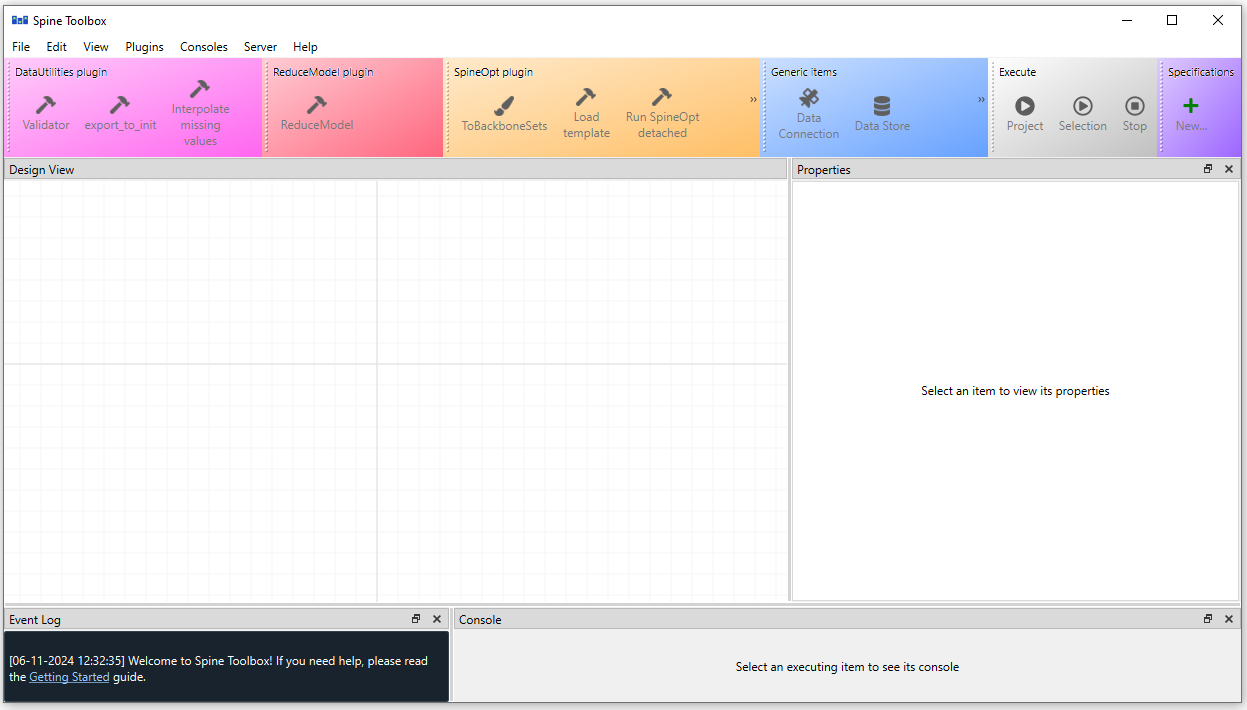
Once all the tools are installed you can first launch SpineToolbox from terminal or miniconda (depending on how SpineToolbox has been installed) and then open the SpineToolbox project that integrates CWatM and FlexTool. It should launch the SpineToolbox interface as below.
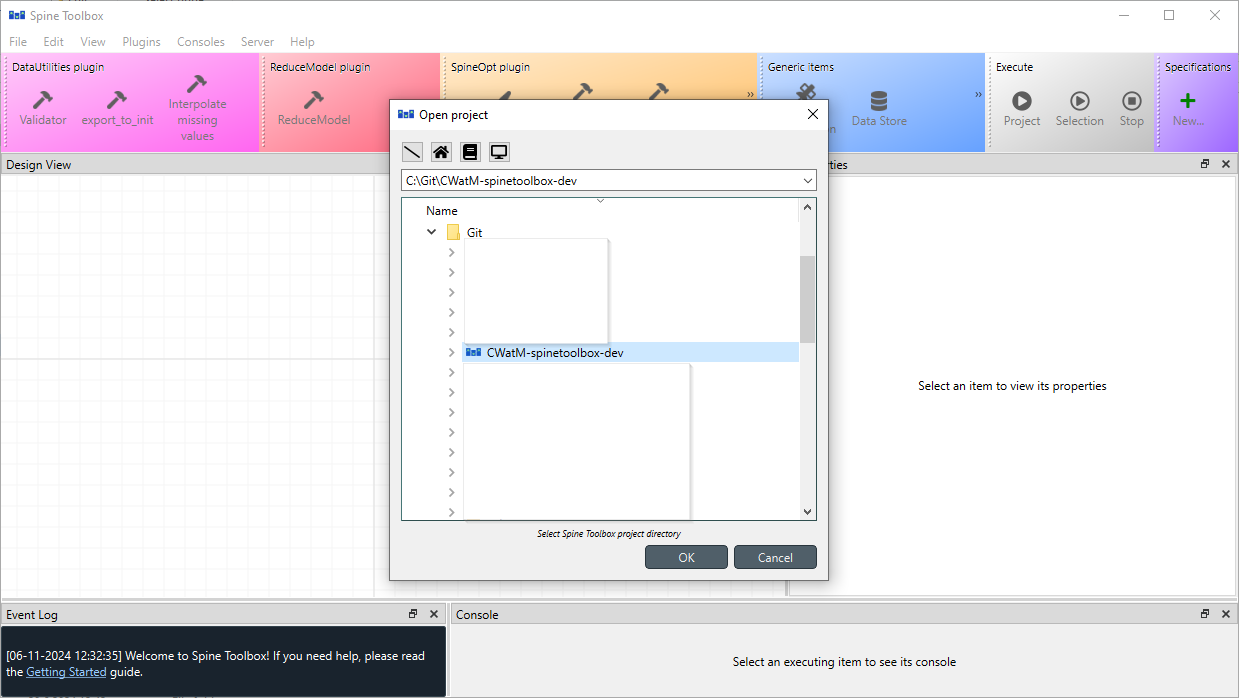
in File>Open project (ctrl+o), locate the folder where the CWatM-spinetoolbox repository on your computer (following the structure above, it should be located here C:\Git\<YOUR FOLDER>\). This will open the basic workflow of the model coupling. With this workflow you can
- Make calibration runs;
- Make CWatM runs as a standalone application
- Make model coupling runs between CWatM and IRENA FlexTool
What is the workflow about?
Not that if you already have an existing workflow from a previous project, you can change the origin of the ini file from the file you have been previously configuring as shown in the picture below. This workflow is split into different section that can run as a whole or can be run by section (by selection the boxes, one can run only the selected workflows) 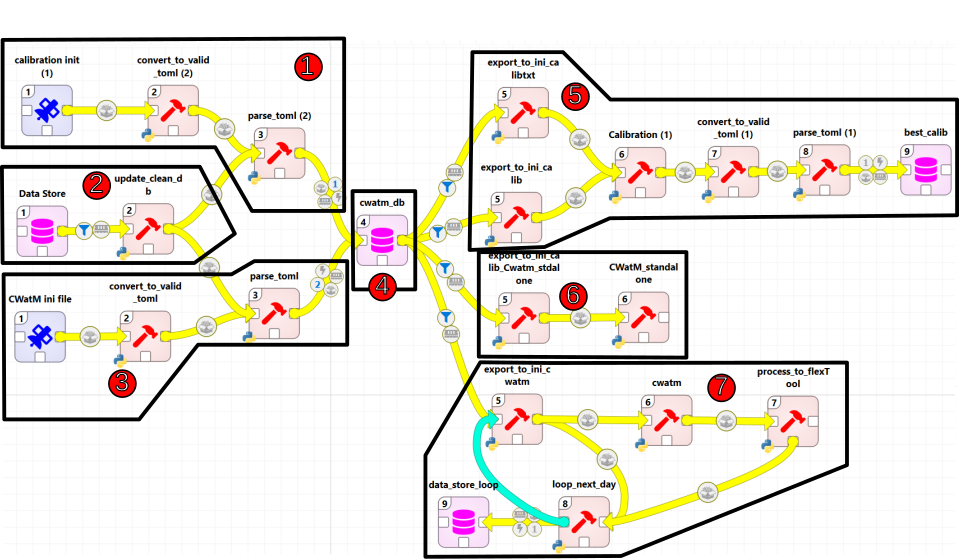
 Import of the calibration .ini file into the database
 Resetting the database
 Import CWatM .ini files
 The Spine Database
 Run your calibration
 Run CWatM as a standalone application
 Run CWatM with IRENA FlexTool
Tip
You can also select each of the yellow arrows to see more options on how the workflow works.
Tip
Please go through the SpineToolbox documentation for an extended explanation of what are each boxes role and if needed how to modify the workflow
Tip
If you don't have prior experience with Python, we recommend reading [Using Python's pip to Manage Your Projects' Dependencies], which is a really good introduction on the mechanics of Python package management and helps you troubleshoot if you run into errors.